
1 min read
New Free Guide: AI Vendor Risk - Questions Organizations Should Be Asking
AI Vendor risk - security questions organizations should be asking
6 min read
Zelvin Security : Updated on May 13, 2026
Learn how independent Microsoft 365 and Google Workspace security assessments help organizations identify misconfigurations, reduce cloud collaboration risk, strengthen identity security, and support governance initiatives aligned with NIST CSF 2.0.
This article is designed for IT Directors, CISOs, System Administrators, security leaders, compliance stakeholders, and organizational decision-makers responsible for managing or overseeing Microsoft 365 and Google Workspace environments. It is especially relevant for organizations looking to better understand cloud collaboration security risks, identity and access security, third-party application exposure, governance maturity, and operational gaps that may exist within their environment. Whether your organization is evaluating Microsoft 365 security best practices, reviewing Google Workspace security configurations, preparing for cyber insurance or compliance discussions, or aligning initiatives with NIST CSF 2.0, this article provides practical insight into how independent security assessments help validate controls and identify real-world cloud security risks.
Cloud collaboration platforms such as Microsoft 365 and Google Workspace have become foundational to how modern organizations operate. Email, identity management, file sharing, remote collaboration, and sensitive communications now exist within cloud ecosystems that employees access from virtually anywhere.
For many organizations, these platforms evolved from productivity tools into critical operational infrastructure. Yet despite their importance, many environments are deployed with configurations that prioritize usability and rapid adoption over long-term security maturity.
As organizations grow, cloud environments often become more complex. New employees are onboarded, contractors receive temporary access, third-party integrations accumulate, and collaboration settings evolve to solve immediate business needs. Over time, these small operational decisions can create security exposure that leadership teams and IT departments may not fully realize exists.
This is one reason independent cloud security assessments have become increasingly valuable.
An independent third-party assessment helps organizations evaluate how their Microsoft 365 or Google Workspace environment would perform from an attacker’s perspective, while also validating whether existing controls are functioning as intended.
Microsoft 365 and Google Workspace were designed to make collaboration seamless. Employees can share files instantly, connect third-party applications in minutes, and work remotely with minimal friction.
Those capabilities help organizations move quickly, but convenience and security are not always aligned.
Features such as external sharing, broad collaboration permissions, OAuth application integrations, and persistent cloud access can introduce risk if they are not continuously reviewed and governed appropriately.
For example:
The challenge is that these risks rarely appear overnight. Most cloud collaboration environments become more exposed gradually through years of operational changes, exceptions, temporary permissions, and evolving business requirements.
An independent security assessment evaluates these environments differently than a traditional operational review.
Instead of asking:
“Can users collaborate efficiently?”
The assessment asks:
Could attackers abuse this workflow?
The goal is not to make collaboration difficult. The goal is to identify where operational convenience may have unintentionally introduced risk and determine how to strengthen security without disrupting the business.
Organizations frequently own powerful Microsoft security capabilities that are either disabled, partially configured, or inconsistently enforced across the environment.
Common Microsoft 365 findings include:
Many organizations also rely heavily on recommendations from Microsoft Secure Score, but operational constraints and rapid growth often prevent those recommendations from being fully implemented.
Additional Microsoft resources:
Organizations looking to validate their cloud collaboration security posture often pair these reviews with services such as Internal Penetration Testing and Cloud Security Assessments to better understand how identity weaknesses could impact broader business systems.
Google Workspace environments face many of the same identity and collaboration risks.
Common findings during assessments include:
The issue is rare that organizations lack security capabilities. In many cases, the challenge is operational maturity, governance consistency, and visibility across a rapidly evolving environment.
Helpful Google security resources include:
Organizations using third-party SaaS integrations should also review the broader risks associated with external vendors and application access. Our article on hidden third-party and AI-related risks can help organizations better understand how interconnected cloud ecosystems can expand attack surfaces over time.
Microsoft 365 and Google Workspace are identity-centric ecosystems. Once an attacker compromises a single account, they may gain access to:
In many real-world incidents, attackers do not need sophisticated malware to cause damage. Weak identity controls, excessive permissions, and overlooked collaboration settings can provide enough access to create operational disruption, data exposure, or business email compromise scenarios.
This is especially important for organizations operating within:
Many of these industries are now placing emphasis on governance, vendor oversights, identity security, and independent validation as part of broader cybersecurity strategy initiatives.
An independent Microsoft 365 or Google Workspace security assessment evaluates how security controls function together across identity, collaboration, email, administrative access, and data protection.
The goal is not simply to verify whether settings exist on paper.
The assessment focuses on validating:
Whether controls are operationally effective
A mature assessment typically reviews several key areas.
Identity is often the primary focus because cloud collaboration environments rely heavily on centralized authentication.
Assessment areas commonly include:
MFA enforcement
Email and collaboration tools remain heavily targeted by attackers.
Assessments may review:
Email protection configurations
Organizations concerned about broader attack-path exposure often combine these assessments with Web Application Penetration Testing and internal network testing to validate how cloud identities intersect with other business systems.
Without visibility, security teams may struggle to identify or respond to suspicious activity effectively.
Assessment areas often include:
One of the most valuable aspects of cloud collaboration security assessments is their ability to support broader governance and risk management initiatives.
Frameworks such as NIST Cybersecurity Framework 2.0 increasingly emphasize governance, visibility, third-party oversight, resilience, and continuous validation.
Leadership teams do not necessarily need to understand every Conditional Access rule or OAuth permission.
What leadership needs to understand is:
What risks exist
That is where independent assessments provide measurable value.
They help bridge:
Technical configuration
This makes cloud collaboration assessments especially valuable for:
Organizations adopting NIST CSF 2.0
An independent assessment is not simply a technical review. It is also a business risk and operational resilience initiative.
Organizations often gain improved visibility into:
More importantly, organizations receive clear and actionable guidance designed to help prioritize remediation efforts based on operational risk and business impact rather than generating a large volume of low-priority findings.
An evidence-based assessment helps organizations focus resources on the areas that may materially reduce risk while maintaining operational efficiency.
A Microsoft 365 Security Assessment is an independent review of identity, email, collaboration, administrative access, and data protection controls within a Microsoft 365 environment. The goal is to identify misconfigurations, risky access patterns, governance gaps, and underutilized security capabilities.
A Google Workspace Security Assessment typically evaluates identity security, OAuth application access, sharing permissions, collaboration controls, account activity monitoring, and administrative governance settings.
Cloud collaboration platforms often contain sensitive business communications, shared files, identity systems, and third-party integrations. Misconfigurations can unintentionally expose data, weaken identity security, or create pathways attackers may abuse after compromising an account.
Cloud collaboration assessments help organizations align with governance, visibility, risk management, and continuous improvement principles emphasized within NIST CSF 2.0. They also provide independent validation of operational security controls.
Microsoft 365 and Google Workspace are powerful collaboration ecosystems, but cloud-based platforms are not inherently secure simply because they are hosted in the cloud.
Security maturity depends on how these environments are configured, monitored, governed, and continuously validated against evolving threats.
An independent security assessment helps organizations move beyond assumptions and gain evidence-based visibility into how their cloud collaboration environment may perform under real-world attack scenarios.
Organizations looking to strengthen cloud collaboration security, validate existing controls, or better align security governance initiatives with operational risk management should consider working with an independent third-party assessment team capable of evaluating these environments from both a technical and business-risk perspective.
At Zelvin Security, we have given a free resource available for download that gets more into the Common Cloud Security Gaps Organizations Often Overlook if you'd like to look more into that for your organization.
As the number of capable attackers continues to grow, staying ahead requires more than assumptions. It requires validation.
Our goal is to act as an extension of your team by providing visibility into real-world risk, supporting your remediation efforts, and helping strengthen your cybersecurity posture over time.
If you’re thinking about how this applies to your environment, now is the right time to take the next step.
👉 https://zelvin.com/contact-us
👉 https://zelvin.com
1 min read
AI Vendor risk - security questions organizations should be asking
1 min read
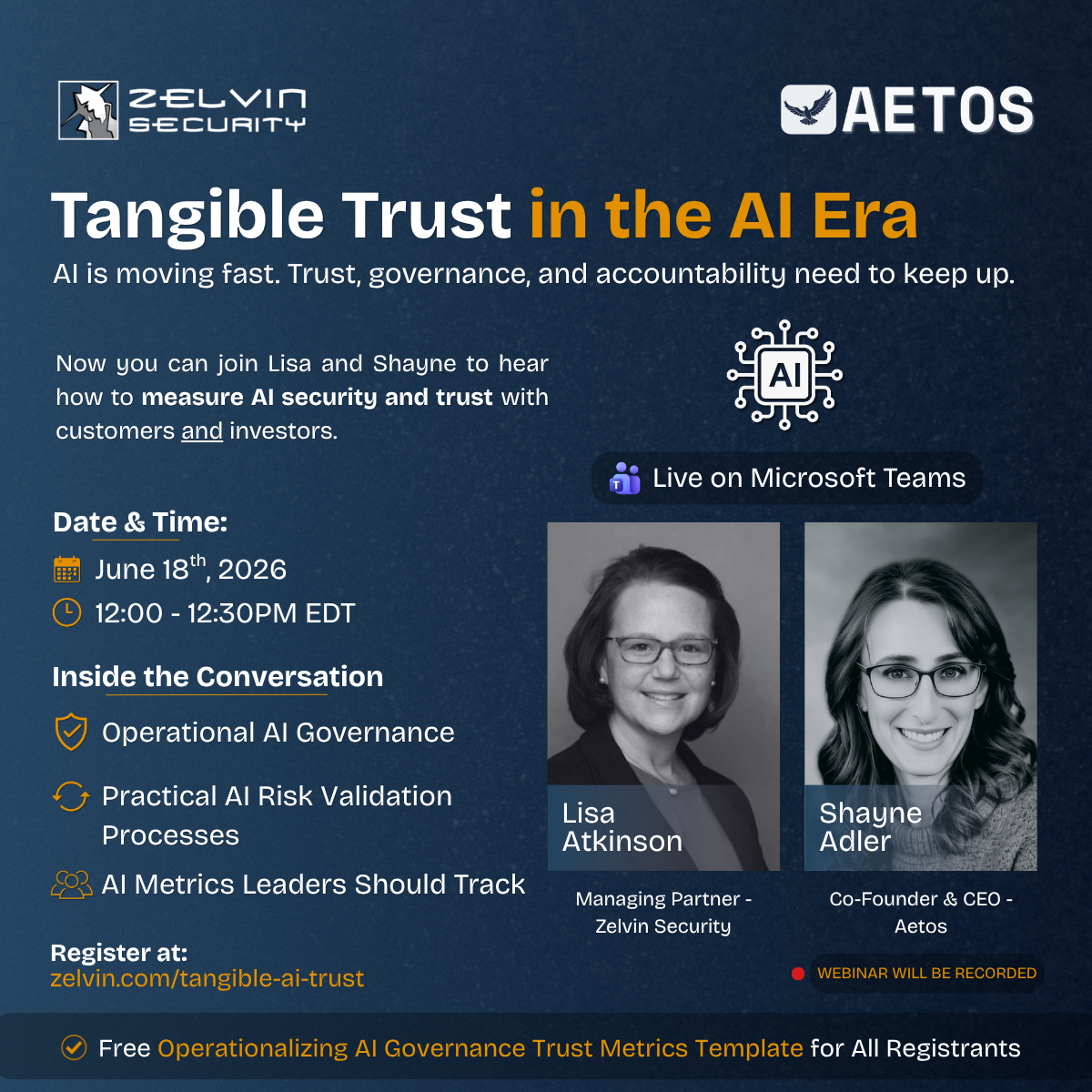
Tangible Trust in the AI era AI is moving fast. Trust, governance, and accountability need to keep up.

1 min read
In 2025, Hertz disclosed that sensitive customer data was stolen after a third-party vendor providing file transfer services was compromised. Hertz...